








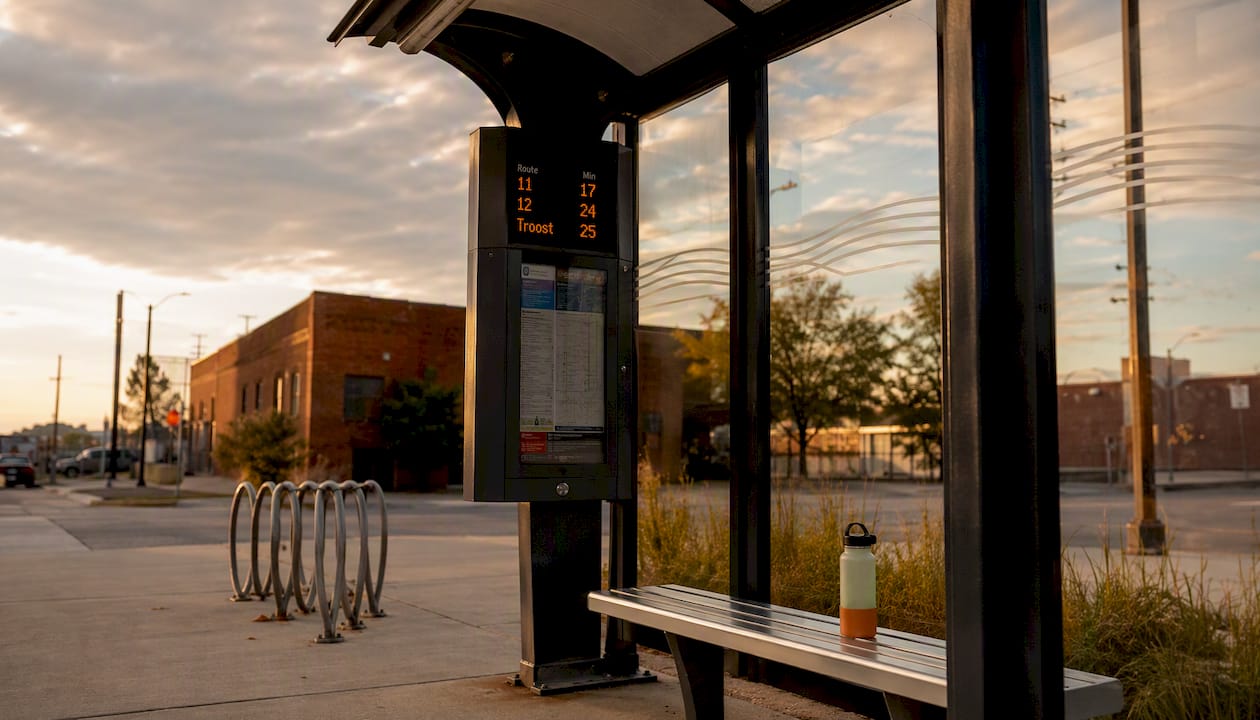
The fastest way to navigate KC public transportation right now: plan your trip in the Transit app, pay with a contactless card or the RideKCGO app, and hop the KC Streetcar for free if you’re moving through downtown. RideKC (KCATA) runs the metro’s fixed-route buses, MAX lines, and regional connections, while the KC Streetcar handles the Main Street corridor at no cost. Fares returned to RideKC buses on June 1, 2026, so having your payment method sorted before you board saves real time.
Before your first trip, run through this checklist:
- Download the Transit app for live vehicle tracking and step-by-step directions
- Download RideKCGO to purchase passes or tap your fare directly from your phone
- Confirm your payment method: contactless Visa, Mastercard, Discover, Apple Pay, Google Pay, or Samsung Pay (American Express is not accepted on bus tap readers)
- Check the RideKC website for any active service alerts on your route
- If you need a physical pass, plan to buy one in person at the East Village Transit Center before you board
- Bookmark the RideKC Fares & Passes page so you can verify current prices and fare-capping rules
Key Takeaways
Navigating KC public transportation in 2026 comes down to three tools and one rule: plan in Transit, pay with RideKCGO or a contactless card, and never switch payment methods if you want fare capping to work.
Table of Contents
- How do you navigate KC public transportation as a first-timer?
- Which apps should you use to plan and track your trip in real time?
- What do fares and passes cost after the June 2026 changes?
- How does the KC Streetcar fit into your trip?
- What special services does RideKC offer beyond fixed routes?
- How do you stay ahead of delays, detours, and service changes?
- What do you actually do when you board a RideKC bus?
- Local tips from someone who actually rides these routes
- What I’ve learned riding KC transit every week
- The Best in KC’s transit-friendly tours and day trips
- Sources
How do you navigate KC public transportation as a first-timer?
RideKC operates fixed-route buses across Kansas City, Missouri and Kansas, covering most of the metro from early morning into the evening. The network breaks into a few distinct service types, and knowing which one fits your trip makes everything easier.
Major service types on the RideKC network:
- Local bus routes: Standard fixed-route buses serving neighborhoods across KCMO and KCK, running on published schedules
- MAX lines: High-frequency, bus rapid transit-style corridors with dedicated stops and real-time displays; Prospect MAX and Troost MAX are the two primary corridors
- Express/commuter routes: Longer-distance routes connecting suburban areas to downtown, with fewer stops
- Microtransit/Flex (IRIS): On-demand, app-booked rides covering areas where fixed routes don’t run
- Paratransit (RideKC Freedom): ADA-eligible door-to-door service for riders who cannot use fixed-route buses
- KC Streetcar: A separate, fare-free service running the Main Street downtown corridor
For regional trips, RideJoCo covers Johnson County, and Wyandotte County operates its own fixed routes in KCK, both integrating with the broader RideKC system. MARC (Mid-America Regional Council) coordinates regional planning across the metro. Always pull the official “Routes in Service” page on ridekc.org before your trip, since construction detours and temporary suspensions update frequently and the website reflects changes faster than any third-party app.
Pro Tip: On the Transit app, toggle the “MAX” layer to see only high-frequency stops highlighted in a distinct color. MAX stops have physical shelters and real-time countdown displays, so they’re worth walking an extra block to reach when frequency matters.
Which apps should you use to plan and track your trip in real time?
RideKC officially recommends a two-app workflow: use the Transit app for planning and live tracking, and RideKCGO for purchasing fares and tapping to pay. Each app does one job well, and trying to use them interchangeably creates confusion.
Step-by-step trip planning:
- Open the Transit app and enter your destination
- Select your preferred departure time or “leave now”
- Review the suggested route, noting the route number, stop name, and estimated arrival
- Tap “Track” on your selected vehicle to watch it move toward your stop in real time
- Set a departure alert so the app notifies you when to start walking
- Save frequent stops as favorites so you skip the search next time
- At transfer points, use the live map to confirm your connecting vehicle is on time before you leave the platform
Where each app is strongest:
- Transit app: Live vehicle maps, step-by-step walking directions to stops, push alerts for delays and detours, and real-time arrival countdowns
- RideKCGO: Purchasing single rides, day passes, weekly and monthly passes; tapping to pay directly from your phone at the farebox
- Google Maps: Quick multimodal routing when you want a fast overview, though it doesn’t show live vehicle positions as reliably as Transit
Pro Tip: Enable push notifications for your saved lines in the Transit app. When a bus is running more than a few minutes late or a detour is active, the alert hits your phone before you’ve left the house, giving you time to check an alternate route.
What do fares and passes cost after the June 2026 changes?
Fares returned to RideKC buses on June 1, 2026, ending a period of fare-free service. The pricing structure is straightforward, and the fare-capping system means frequent riders automatically get the best rate without buying a pass in advance.
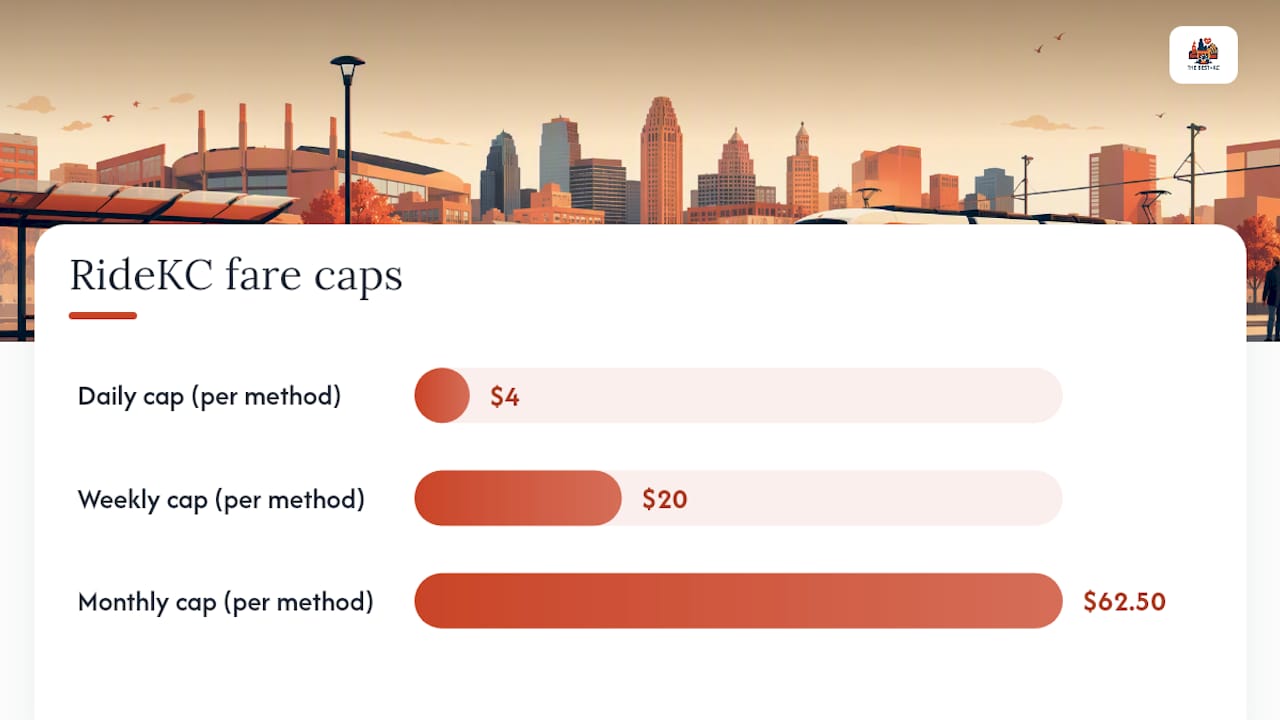
Fare capping works automatically: once your taps on a single payment method reach the daily cap of $4, the weekly cap of $20, or the monthly cap of $62.50, additional rides that period are free. The system tracks your payment method, not your account, so this only works if you tap the same card or wallet every single trip. Switching between your physical Visa and Apple Pay, for example, splits your tap history and breaks the cap.
Accepted payment methods on bus tap readers:
- Contactless Visa, Mastercard, or Discover (physical card or digital wallet)
- Apple Pay, Google Pay, or Samsung Pay
- RideKCGO mobile app
- American Express is not accepted on bus tap readers
Cash is not accepted on any RideKC bus. Riders without a bank card or smartphone must purchase a physical pass before boarding.
Where to buy physical passes in person:
- East Village Transit Center (1200 E. 18th St., KCMO)
- KCATA headquarters
- Wyandotte County transit locations (check the Wyandotte County RideKC page for current hours)
- Additional retail locations are being added in phases through 2026
Pro Tip: Reduced-fare eligibility requires prior verification through United Way or in-person enrollment at a transit center. Showing a document to the driver does nothing. Once verified, your payment method is linked to a reduced-fare profile, and your caps drop to half the standard rates. KCUR’s fare guide has a clear breakdown of the free and reduced-fare program details.
How does the KC Streetcar fit into your trip?
The KC Streetcar runs the Main Street corridor from River Market in the north to Union Station and Crown Center in the south, covering roughly 2.2 miles with platform stops along the way. It’s completely fare-free: no tapping, no pass, no app required. Just walk up and board.
Major stops and nearby bus connections:
- River Market North (Main St. & 3rd St.): Northern terminus; connects to several northbound and eastbound bus routes
- City Market (Main St. & 5th St.): Close to the City Market weekend farmers market and weekend bus connections
- Power & Light (Main St. & 13th St.): Heart of the entertainment district; multiple bus routes stop within a block
- Crown Center/Union Station (Main St. & Pershing Rd.): Southern terminus; connects to Amtrak, multiple MAX and local bus routes, and the KC Streetcar’s future South extension corridor
The streetcar runs frequently during peak hours, making it the most reliable way to move between River Market, the Crossroads, and Union Station without worrying about a bus schedule. For visitors staying downtown, it’s the backbone of a car-free day.
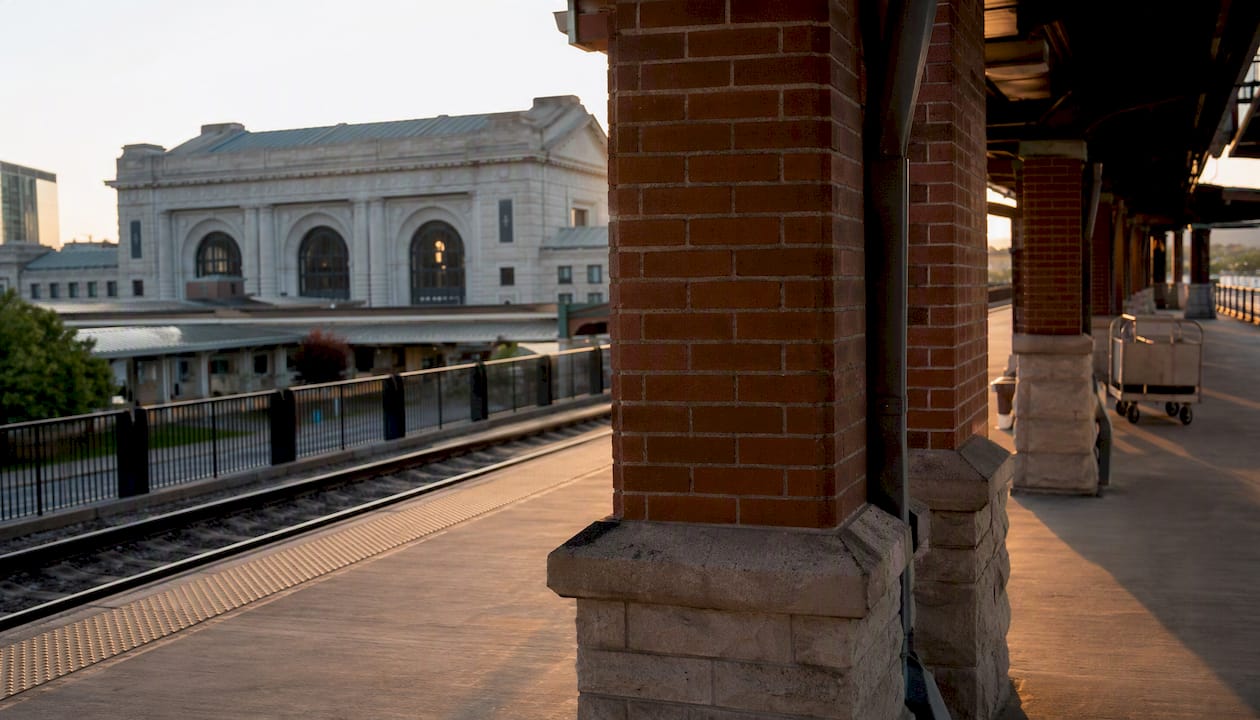
Pro Tip: The Union Station platform is the easiest boarding point for riders with luggage or wheelchairs. The platform is level, wide, and covered, and it sits directly in front of the station’s main entrance. From there, the 475 MAX and several local routes depart within a short walk for connections south and east.
What special services does RideKC offer beyond fixed routes?
The RideKC Rider Guide covers several services beyond standard bus routes, each designed for a specific rider need.
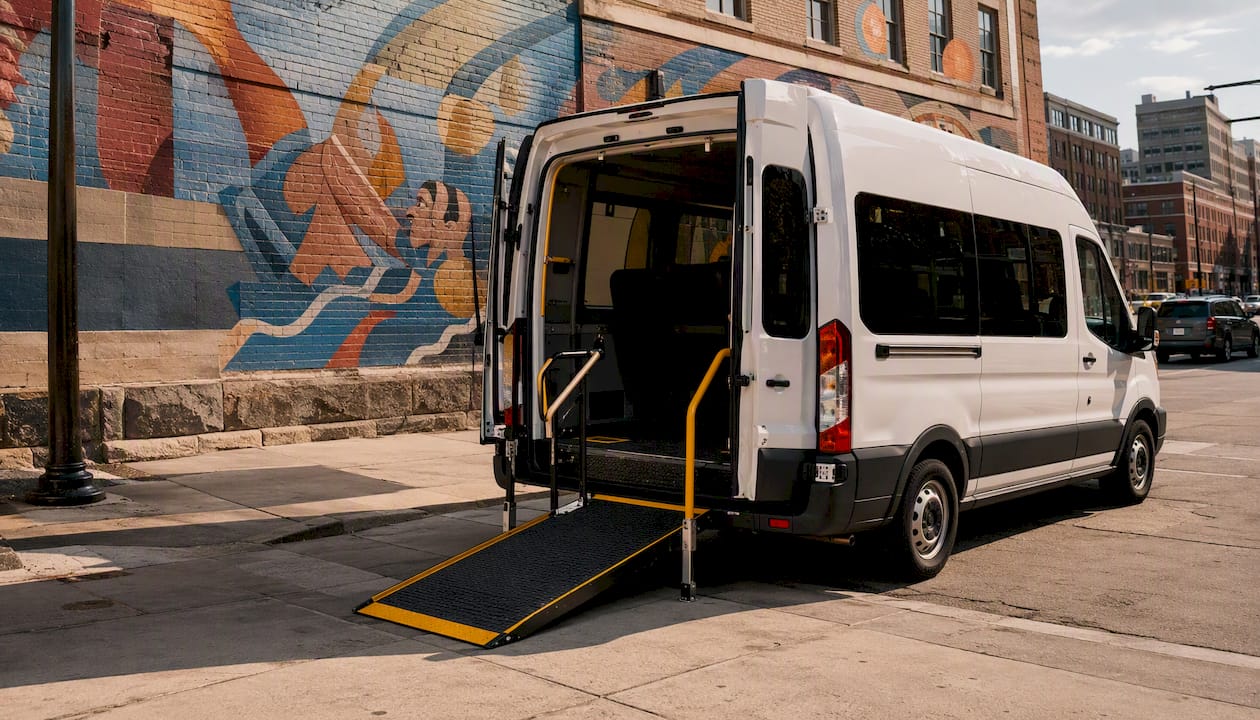
RideKC Freedom is the ADA paratransit service for riders whose disability prevents them from using fixed-route buses. It operates door-to-door within a corridor around existing fixed routes. Eligibility requires an application and functional assessment through KCATA.
Flex/IRIS microtransit covers zones where fixed routes don’t run. You book a ride through the IRIS app or by phone, and a van picks you up at a designated virtual stop within your zone. It’s not on-demand like a rideshare; pickups happen within a service window, so plan ahead.
ConnectKC26 is the event-specific service overlay built around the FIFA World Cup 2026 matches and other major conventions. It adds temporary routes and increased frequency on existing corridors during event windows.
Practical booking steps:
- RideKC Freedom: call KCATA’s Freedom line to apply, then book trips by phone or through your linked account
- IRIS microtransit: download the IRIS app, create an account, select your zone, and book at least 30 minutes ahead
- ConnectKC26 and event services: check the “Getting Around KC” event page on ridekc.org for temporary route maps and schedules
Pro Tip: If you’re a RideKC Freedom rider who can use fixed-route buses for part of a trip, link your Freedom enrollment to a RideKCGO account. Verified paratransit riders can access free fixed-route rides when connecting, which extends your range without additional cost.
How do you stay ahead of delays, detours, and service changes?
Service changes on RideKC happen more often than most riders expect, especially during construction season and major events. The good news is that the notification tools are solid if you set them up before you need them.
Notification channels to activate now:
- RideKC Notify: Sign up on ridekc.org to receive text or email alerts for specific routes; you choose which lines you want updates on
- Transit app push alerts: Enable notifications for your saved lines; the app flags delays, detours, and cancellations in real time
- ridekc.org service alerts page: The official source for all active detours and construction notices; updates faster than social media
- RideKC social media: Useful for major event announcements and same-day disruptions, but not a substitute for route-specific alerts
To subscribe to RideKC Notify, go to ridekc.org, find the Notify signup under “Rider Tools,” enter your phone number or email, and select the routes you ride. It takes about two minutes. In the Transit app, tap any saved route and toggle “Get Alerts” to on.
Pro Tip: On event days, especially during ConnectKC26 World Cup matches at Arrowhead, check your route on ridekc.org the morning of travel, not the night before. Temporary overlays and detours often post within 24 hours of the event. Build in an extra 15 minutes on any route that passes through the Power & Light District or Union Station on those days.
What do you actually do when you board a RideKC bus?
First-time riders sometimes freeze at the farebox. Here’s the sequence from curb to seat, start to finish.
Step-by-step boarding checklist:
- Check the Transit app for your bus’s real-time position and confirm the route number on the front display before it pulls up
- Stand at the marked stop, not mid-block; buses won’t pull over between stops
- Board through the front door
- Tap your contactless card, mobile wallet, or open RideKCGO and tap your phone to the farebox reader
- Wait for the green confirmation light or chime before moving to a seat
- For transfers, your fare is tracked automatically; no transfer slip is needed
- Pull the stop-request cord or tap the strip above the window when your stop is one stop away
- Exit through the rear door to keep boarding traffic moving
Accessibility features on RideKC buses:
- Low-floor buses with fold-out ramps at the front door for wheelchair users
- Kneeling feature available on request; ask the driver before boarding
- Onboard bike racks at the front of the bus (two-bike capacity on most routes)
- Audio stop announcements and visual display boards inside the bus
- For assistance, call the RideKC contact center; the number is posted at major transit centers and on ridekc.org
Paratransit riders who also use fixed-route buses can link their RideKC Freedom account to RideKCGO for free fixed-route access, as noted in the special services section above.
Local tips from someone who actually rides these routes
These are the stops and habits that have saved me real time on KC transit.
- East Village Transit Center (1200 E. 18th St.) is the best place to buy a physical pass before your first ride. It’s also where several MAX and local routes converge, so if you’re unsure which bus to take, the staff there can point you to the right platform. Mornings before 9 AM are the least crowded for pass purchases.
- The Union Station streetcar stop is my go-to transfer point when I’m coming from the south. The KC Streetcar drops you right at the front of the station, and the 475 MAX stop is less than a block away heading north toward the Crossroads and downtown.
- River Market North gets crowded on Saturday mornings during City Market season. If you’re heading there on a weekend, board the streetcar by 9 AM or expect standing room only between 10 AM and noon.
- For the Prospect MAX, board at the Linwood stop if you’re coming from midtown. The stop has a shelter and a real-time display, and it’s less congested than the 31st Street platform during afternoon rush.
- If you’re planning a full day out by transit, The Best in KC’s transit-friendly day-trip guides pair well with these routes. The KC Arts District is also reachable by streetcar and bus, and the 2026 Arts District visitor guide maps out the stops worth getting off for.
What I’ve learned riding KC transit every week
Real-time tracking changed how I use the bus. Before the Transit app showed live vehicle positions, I’d arrive at a stop five minutes early and wait, not knowing if the bus was two minutes out or twelve. Now I leave my front door when the app says to, and I’ve cut my average wait time significantly. The fare-capping system is genuinely well-designed too, once you understand the one rule that matters: pick one payment method and never deviate from it.
If you have a specific route question or want help planning a trip from a particular neighborhood, drop it in the comments or reach out through The Best in KC’s contact page. I’m happy to walk through it with you.
The Best in KC’s transit-friendly tours and day trips
If you’re a visitor who wants to turn a bus or streetcar ride into a full outing, The Best in KC has done the legwork. Our local bus tours and walking tour guide lists the best transit-accessible routes through KC’s most interesting neighborhoods, with specific stops, addresses, and the kind of detail you only get from someone who’s actually walked the route. These are curated editorial picks, not official transit products, so they complement the RideKC system rather than replace it. Check the list before your next trip and you’ll have a ready-made itinerary waiting at every stop.
Sources
- Fares & Passes | Kansas City Area Transportation Authority | KCATA
- The KC Streetcar Route | Kansas City’s Modern Transit …
- Riding a bus in the Kansas City area? Here’s your guide to navigating the new fare system